
If your Recipe blog has these markup information added , then Google will try to display your recipe pages in a better way.
How does this work ?
If
recipe information is marked up in your blog posts, then Google might
use this information to show rich snippets for recipe results
The
image below is a snapshot from Google's search result page and it
displays the image of the sausage, rating, nutrition information and the
total time needed to make this dish in addition to what you normally
expect to see.
Add proper Recipe Markup to your Blog
If you are looking for an easy solution to implement recipe markup in your BlogSpot blog, then you will have to modify your BlogSpot template. These are some simple changes and won’t take more than 5 minutes.(This will add hRecipe markup to all your existing and new Blog Posts)- Login to your Blogger Dashboard and Navigate to Template > Edit HTML
- Check the box which says Expand Widget Templates
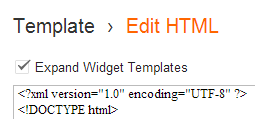
- Now look for every occurrence of
and replace it with<data:post.body/>
<b:if cond='data:blog.pageType == "item"'> <div class="hrecipe"> <span class="item"> <h1 class="fn" style="display:none"><data:post.title/></h1> </span> <b:if cond='data:post.thumbnailUrl'> <img class="photo" style="display:none" expr:src ="data:post.thumbnailUrl" expr:alt="data:post.title"/> </b:if> <data:post.body/> </div> <b:else/> <data:post.body/> </b:if> - Save your Template

Writing a New Recipe Post
When you write a new Recipe Post, follow the below Markup Guidelines.(You will have to use the HTML view of your Post Editor to add these HTML markups):- Adding ingredients - When you add an ingredient, make sure that you
add it using proper recipe markup. If you have apple and white sugar as
ingredients, then you will add the below markup to your post
<span class="ingredient"> <span class="name">apples</span>: <span class="amount">6 cups</span> </span> <span class="ingredient"> <span class="name">White sugar</span>: <span class="amount">3/4 cup></span> </span> - Adding Cooking Time - When you add cooking time, use the format
It uses the ISO 8601 format PT1H30M. It the duration was 20 minutes you would have used PT0H20M<span class="duration">1 hour 30 min <span class="value-title" title="PT1H30M"></span></span>
- Adding Nutrition Information - When you add nutrition information, use the format
<span class="nutrition"><span class="calories">250</span></span> - When you have published the post, check the markup using this Rich Snippet Testing Tool
When will this show up in Google?
Once you add the rich snippet markup to your Blogger Blog, it might take a few weeks for Google to crawl your Blog.If it doesn't appear, then make sure that you have added the markup properly. You can do this using the Rich Snippet Testing Tool. If it still doesn't show up in Google Search, use this form to tell Google about the Rich Snippets used on your blog.Need Help in adding this to your blog?
If you are not sure how to do this, or if you think you can’t do this on your own, then leave a comment or contact us via the Contact Page.If you out have friends who use blogger for posting recipes, then do share the post with them :-).
Comments
Post a Comment